Clover Integrates With What You Already Use
Accounting software, online stores, scheduling, payroll, inventory. Pre-built integrations cover most of what you need, and we will build the custom ones when you need something specific.
One dashboard. Every tool in your business talking to it.
Sales feed your accounting. Inventory levels stay in sync with your online store. Hours worked feed payroll. Customer purchase history feeds your marketing. None of it is manual after we set it up.
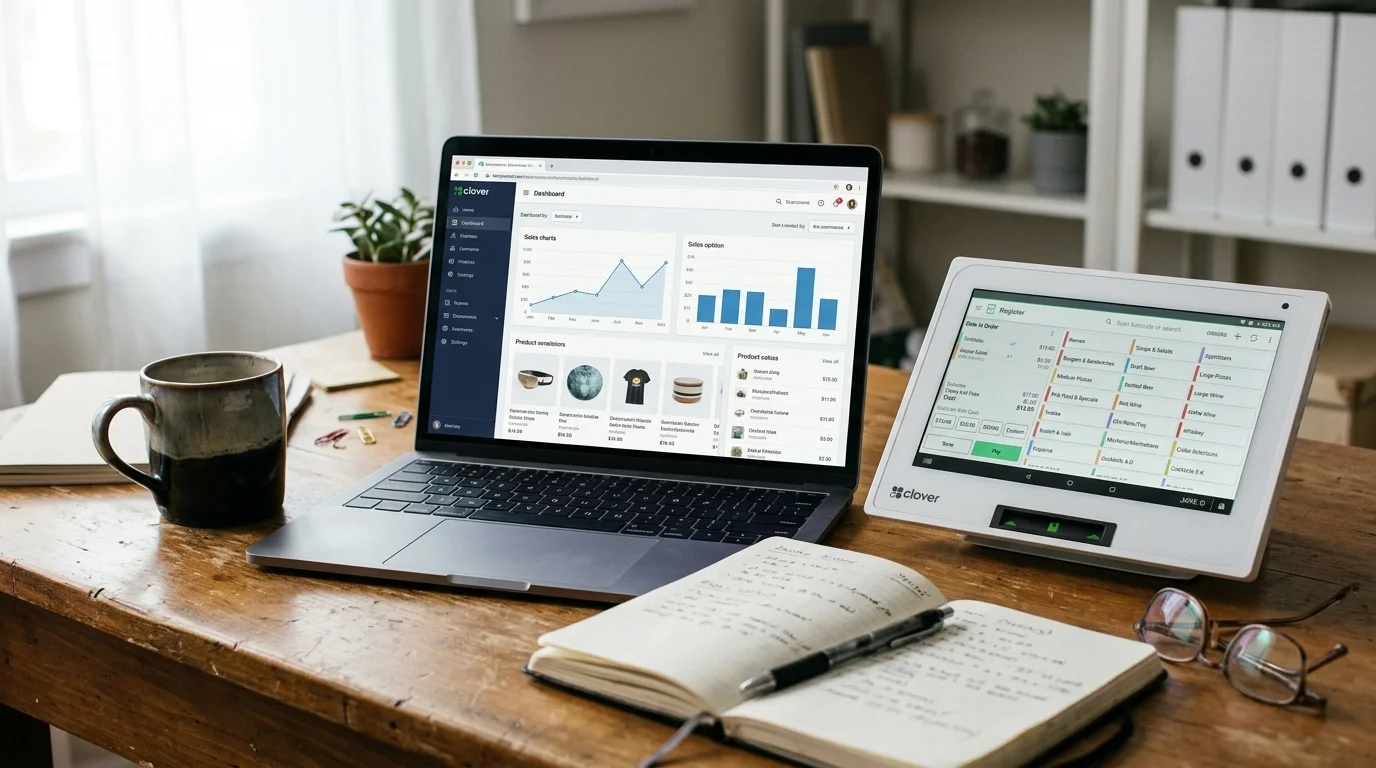
The mockup beside this is what your dashboard looks like once we wire you up. Stylised, but accurate to how the real connections behave.
Your Local Shop
Integrations
QuickBooks
Shopify
Mailchimp
7shifts
DoorDash
Reports
The Integrations Most Operations Need
Clover comes with hundreds of integrations available through the Clover App Market. Most operations only need a handful, and we will set them up for you during onboarding. Here are the categories that cover what 90 percent of our clients run.
The most common request. Clover syncs with QuickBooks Online, Xero, FreshBooks, and Wave. Daily sales, taxes, tips, and refunds flow into your accounting platform automatically so your bookkeeper does not have to enter them by hand. Set up once, runs forever.
Clover connects to Shopify, WooCommerce, and BigCommerce. Inventory levels stay in sync between your in-store Clover and your online store, so you do not oversell items that are out of stock. Online orders flow into the same Clover dashboard you use for in-person sales.
For restaurants, Clover integrates directly with major online ordering and delivery platforms (Uber Eats, DoorDash, SkipTheDishes, plus first-party online ordering through Clover's own tools). Orders print to the kitchen, hit the same reporting, and reconcile at end of day.
Clover connects to scheduling tools (Homebase, 7shifts, When I Work) and payroll platforms (Wagepoint, ADP, Ceridian). Hours worked on Clover flow into your scheduling and payroll system so you are not re-keying timecards.
Built-in customer database plus app integrations for advanced loyalty programs, email marketing (Mailchimp, Constant Contact), SMS campaigns, and review-collection tools. Customer purchase history feeds the marketing tools so segmentation actually works.
For higher-volume retail and food service, Clover integrates with inventory-management apps (Shopventory, BinWise, MarketMan) that handle multi-location inventory, automated reordering, and supplier management. Most operations do not need this. The ones that do, need it badly.
Accounting
The most common request. Clover syncs with QuickBooks Online, Xero, FreshBooks, and Wave. Daily sales, taxes, tips, and refunds flow into your accounting platform automatically so your bookkeeper does not have to enter them by hand. Set up once, runs forever.
E-commerce
Clover connects to Shopify, WooCommerce, and BigCommerce. Inventory levels stay in sync between your in-store Clover and your online store, so you do not oversell items that are out of stock. Online orders flow into the same Clover dashboard you use for in-person sales.
Online ordering and delivery
For restaurants, Clover integrates directly with major online ordering and delivery platforms (Uber Eats, DoorDash, SkipTheDishes, plus first-party online ordering through Clover's own tools). Orders print to the kitchen, hit the same reporting, and reconcile at end of day.
Employee scheduling and payroll
Clover connects to scheduling tools (Homebase, 7shifts, When I Work) and payroll platforms (Wagepoint, ADP, Ceridian). Hours worked on Clover flow into your scheduling and payroll system so you are not re-keying timecards.
Customer loyalty and marketing
Built-in customer database plus app integrations for advanced loyalty programs, email marketing (Mailchimp, Constant Contact), SMS campaigns, and review-collection tools. Customer purchase history feeds the marketing tools so segmentation actually works.
Inventory and supply chain
For higher-volume retail and food service, Clover integrates with inventory-management apps (Shopventory, BinWise, MarketMan) that handle multi-location inventory, automated reordering, and supplier management. Most operations do not need this. The ones that do, need it badly.
When You Need Something Custom
Most operations are covered by the pre-built integrations above. Sometimes they are not. You run a niche industry tool that does not have a Clover connector. You have a custom workflow your team has built around for years. You need data flowing somewhere Clover does not offer out of the box.
This is where our sister company Diverse IT Solutions comes in. Twenty-plus years of building custom software for Ontario small businesses, and the Clover API is well-documented. We have built custom Clover integrations for accounting systems Clover does not natively support, custom inventory feeds for businesses with unusual product structures, and reporting bridges into business intelligence tools. Tell us what you need during your consultation, and we will tell you straight whether it is a half-day fix or a real project.
How Integrations Get Set Up
Most clients overestimate how many integrations they need. We figure out what is genuinely useful for your operation versus what sounds nice but never gets used.
Accounting, e-commerce, scheduling, payroll. Whatever applies. Configured, tested, and running before we leave.
If something you need is not pre-built, we scope the custom build separately and tell you what it costs before we start. See how we set you up.
When something stops syncing, you call us. The 3-tier support model covers the integration layer too.
- 1
We confirm what you actually need during the consultation.
Most clients overestimate how many integrations they need. We figure out what is genuinely useful for your operation versus what sounds nice but never gets used.
- 2
We set up the pre-built ones during install.
Accounting, e-commerce, scheduling, payroll. Whatever applies. Configured, tested, and running before we leave.
- 3
We document the custom ones if needed.
If something you need is not pre-built, we scope the custom build separately and tell you what it costs before we start. See how we set you up.
- 4
You get the same support coverage on integrations as on payments.
When something stops syncing, you call us. The 3-tier support model covers the integration layer too.
Common Questions About Clover Integrations
Yes. There are several QuickBooks Online integrations available through the Clover App Market. Daily sales, taxes, tips, and refund data flow into QuickBooks automatically. We will configure the right one for your accounting setup during install.


